Non-Fiction
Related: About this forumI got a Kindle Fire as a gift - anybody use this?
There are lots of things I like about it, including that it makes it easy to read at odd times when I wouldn't normally be able to read a book - so I can get caught up on some reading that I kept putting off.
However, I think - for me anyway - it is more suited to reading fiction.
I read non-fiction with pen in hand and highlighters at the ready. I learned to do this in college and law school and relearned this method in graduate school. It is mostly, history, government, and related studies (i.e., everything under the sun) I mean, after all, what is not related to one or both of these?
Anyway, I write in the margins and the margins of the margins, use exclamation marks liberally and other symbols (stars, light bulbs, arrows, et al.0 throughout and on the footnotes and cross reference to other sections and other books, etc.
So I am having to adjust.
I hope that when Kindle updates next time they include some other highlighting/note-making functions (different colors, symbols, etc.)
 = new reply since forum marked as read
Highlight:
NoneDon't highlight anything
5 newestHighlight 5 most recent replies
= new reply since forum marked as read
Highlight:
NoneDon't highlight anything
5 newestHighlight 5 most recent replies

Neoma
(10,039 posts)Though more because geography maps don't show up well on them.
And other charts and tables. I can see them a little better by viewing it on the Kindle for my PC.
I want to put together a list of ideas for updates - being able to enlarge maps and things.
I never thought I would like reading on those little readers, but then I never thought that I would be reading so much on the computer anyway.
DisgustipatedinCA
(12,530 posts)The ebook formats (ebpu, awz, et al) are great for scaling text larger and smaller, but this imposes limitations on the book. If you have a 400 page book, and enlarge the text to a size comfortable for reading, the book may suddenly become 900 "ebook pages". So it's really difficult to make the pictures show up where they need to be, and there's no ready way to zoom in on the pictures/maps/figures.
On the other hand, most ebook readers will read pdf files (Adobe Acrobat), and will allow you to pinch/spread in order to zoom in and out. This is a great way to display pictures. But they stay on the same page with the same amount of text that's in the original book.
Personally, I think it's best to have picture-heavy books, art history, coffee table books, etc, as PDF files.
Aside from all that, I wanted to take a second to sing the praises of the epub format. Amazon devices will not open epub books, but most other readers (Nook and iPad, among others) will. I think Amazon has this restriction in place because epub books are the ones most available for illegal download. But it's too bad Amazon has taken this position. There are lots and lots of public domain and "open source" books available, both free and legal, on the Internet (start with http://www.epubbooks.com/, if interested). I hope to see Amazon change their mind with a firmware upgrade one day soon.

dixiegrrrrl
(60,010 posts)using the free program Calibre.
I get my paws on mobi books sometimes, and just let Calibre convert it to epub if I want to stick it on the Nook.
Also can turn pdf into epub....or mobi...etc.
Often I will use Calibre to read the book on the puter.., esp for pics and maps.
seabeyond
(110,159 posts)when i dont want to get out of bed and get lap top, i can use fire. i have a game i obsess with, mahjong? touch screen makes it so easy.i got one for my bday.
enjoy.

ashling
(25,771 posts)The notes are very limited and they are not there to read with (alongside of) the text. It only has one color and intensity of highlighter.
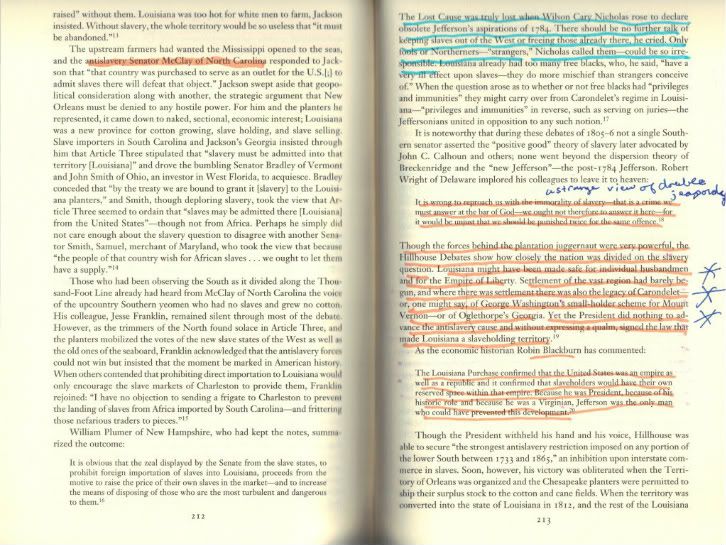
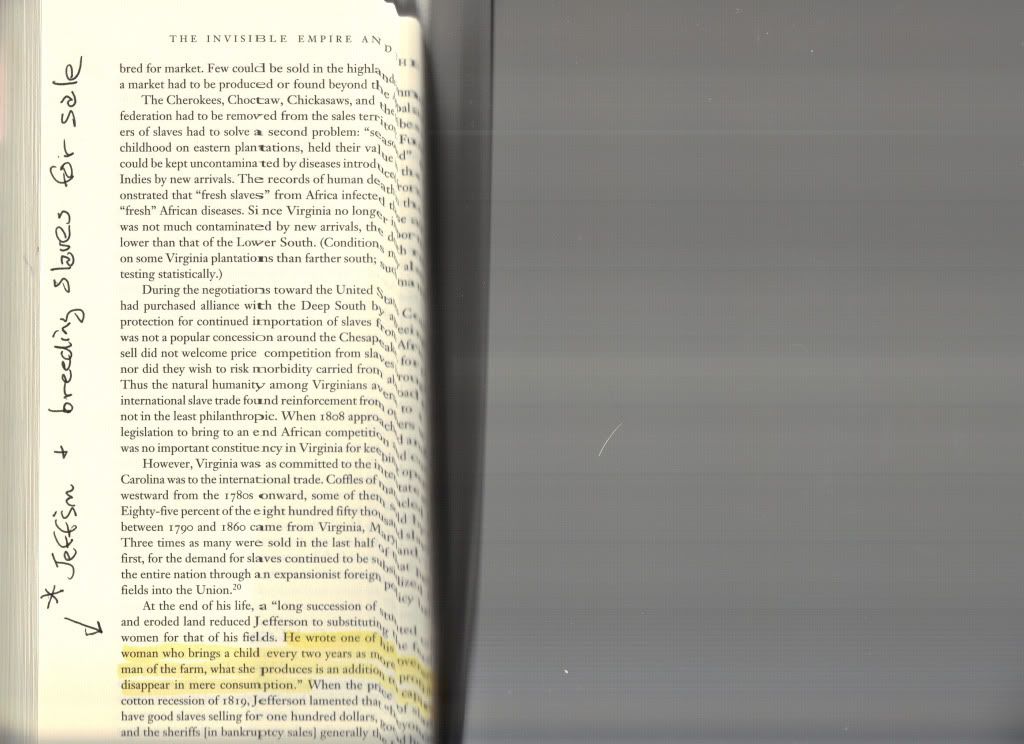
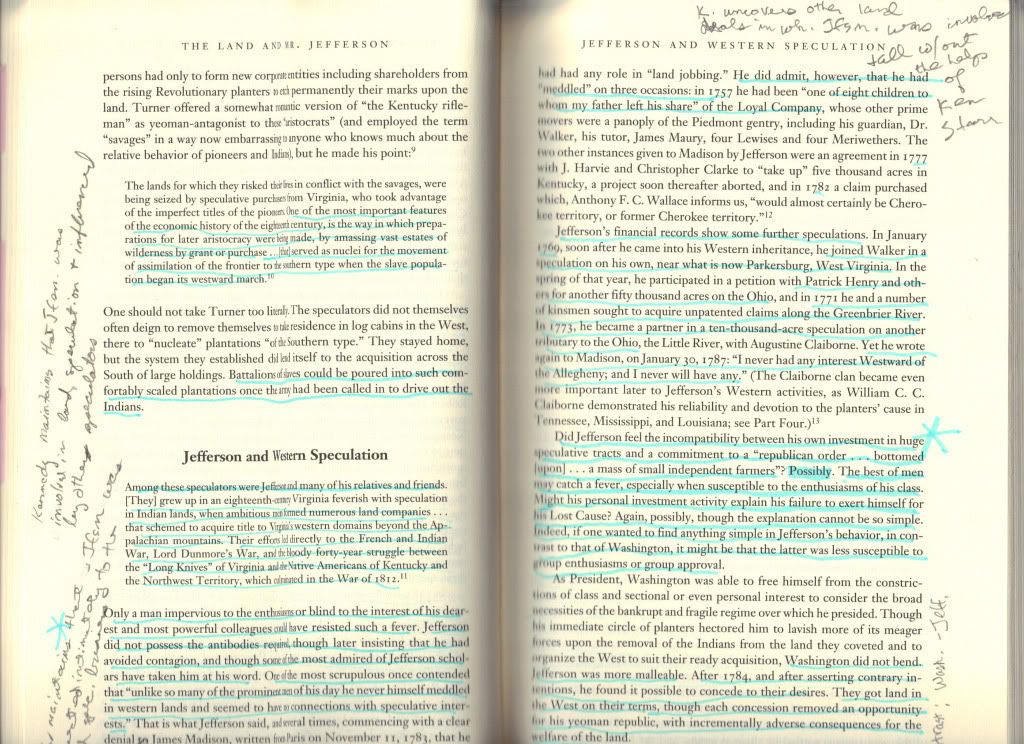
As opposed to these pages from a book on Jefferson which jump out at me upon rereading and I don't lose the intensity of the emotion I had when reading it. These things are very important to the way I access the material:
seabeyond
(110,159 posts)ashling
(25,771 posts)to use like stars, flags, question marks, etc. That would at lease help me to recall where I was at (mentally) while reading.
also, highlight in red, green, yellow and blue
seabeyond
(110,159 posts)you have me laughing. i love peoples quirks.
ashling
(25,771 posts)
DisgustipatedinCA
(12,530 posts)There are different colored sticky notes too.
I can see the drawbacks in note-taking ability for nonfiction works. For fiction, I mostly use highlighting for the passages I like, and for the new vocabulary I've picked up in the book, and highlighting works well for those applications.
seabeyond
(110,159 posts)i have a notebook for my books so i remember what i read and what i need to read. i also tell the gest of the story so i will remember. especially if it is a series. i often forget. i have to peruse a book before reading the next one that finally came out.
i dont get to do that on kindle, that i can see.
Viva_La_Revolution
(28,791 posts)I find a good book 2nd hand for a good price and somebody has scribbled all over it!
My Dad does this too, and it drives me bananas to try and read his copy of anything.
I was taught that books were valuable and to never write in them 

Merlot
(9,696 posts)It's hard even to this day to write in a book. It still feels "wrong."
Then again, in school I wasn't great at reading and taking notes...spent my time with the pen doodling, although NEVER in the book!
ashling
(25,771 posts)for the value added stuff 
I am the OP
(18 posts)

Lex
(34,108 posts)That's the cool thing, having a Kindle doesn't mean you have to choose one or the other all the time.

tammywammy
(26,582 posts)I love it! I do read some on it, but still love regular books. I find it's great when I take it to school to do quick internet searches instead of bringing my mini-laptop. I was already an Amazon Prime member, so I love the Lending Library. I also love Where's My Water and Sudoku. 

tabbycat31
(6,336 posts)I have a Kindle Fire that I got last month and am still figuring it out.
Is there a limit on how many books you can borrow?
tammywammy
(26,582 posts)So you go searching around and find a book that says it's free to prime members. Then you download it. Now, when it's time for another new book they take the old one off your Kindle and give you the new one you've picked out. Just look for any book that has the Prime thingy.
blue ivy schlotsky
(18 posts)I just bought a used book from Amazon and it was marred by constant lines. And it wasn't even an academic book!  I just wish people could absorb their material without having to underline stuff. When the professors would ask us to underline the important points, I never knew what wasn't important!
